You still need a clear destination, but the current keeps changing. Customers expect faster responses, competitors publish more content, teams are asked to do more with fewer resources, and new technology seems to arrive every week. Artificial intelligence is no longer just a novelty for small businesses. It has become a practical layer that can support research, writing, customer service, marketing, automation, meetings, analysis, and everyday decision-making.
The important question is no longer whether a small business should experiment with AI. The smarter question is: which AI tools actually solve useful problems without creating another expensive subscription and another complicated dashboard? The best AI tools for small businesses in 2026 are the ones that fit naturally into existing workflows. A local retailer may need help creating product descriptions and responding to customer questions, while an agency may need faster research, content production, meeting summaries, and workflow automation.
Why AI Has Become a Small-Business Essential
The Shift From AI Experiments to Everyday Operations
Only a few years ago, many businesses treated generative AI as a fascinating experiment. Someone might ask a chatbot to write a social media caption, generate a few ideas, and then move on. In 2026, the technology has moved much closer to everyday operations. Modern business AI platforms increasingly combine conversational assistance with document analysis, connected applications, workflow support, spreadsheets, presentations, and organizational knowledge.
For small business owners, this evolution matters because time is usually the scarcest resource. AI does not eliminate the need for judgment, experience, or human relationships. What it can do is reduce the amount of time spent staring at a blank page, searching through documents, rewriting repetitive messages, summarizing conversations, or manually moving information between systems.
For example, ChatGPT Business offers a shared workspace designed for teams, including business-focused controls and productivity features. Its pricing and features may change over time, so businesses should always check the official product page before purchasing. The broader trend is clear: AI platforms are increasingly evolving from simple chatbots into practical tools that support everyday business operations.
Where Small Businesses Gain the Most Value
The strongest use cases for AI usually appear in repetitive, information-heavy work. Consider how many times a small team creates similar emails, answers similar questions, summarizes the same type of meeting, researches competitors, rewrites product descriptions, or updates records. None of these tasks may seem enormous individually. Together, however, they can consume a surprising amount of the working week.
The biggest advantage often comes from speed combined with leverage. A business owner can brainstorm twenty campaign angles in minutes, select the strongest ideas, refine them using real customer knowledge, and hand the final concept to a designer. A customer-support team can draft replies more quickly while still reviewing sensitive messages before sending them. AI accelerates the first draft, the analysis, and the organization, while humans remain responsible for judgment and final decisions.
How to Choose the Right AI Tool
Start With a Specific Business Problem
The easiest way to waste money on AI is to begin with the question, "Which AI tool is the most popular?" Popularity is not a workflow. Instead, start with a frustrating business problem. Are sales representatives spending too much time writing follow-up messages? Is the marketing team struggling to produce enough visual content? Are customer questions arriving faster than the team can answer them?
Once the problem is clear, the AI selection process becomes much simpler. You can define what success looks like. Perhaps the goal is to reduce the time needed to create a first draft. Perhaps the objective is to respond to routine inquiries outside office hours. Maybe you want to automatically summarize client meetings and turn action items into tasks.
Start small. Give one team or one workflow access to the tool, document the baseline, and compare results after several weeks. Did work become faster? Did quality improve? Did customers notice a difference? Did employees actually use the software? Adoption is often the hidden metric that determines whether an AI investment succeeds.
Compare Cost, Integration, and Data Privacy
Price matters, especially for small businesses, but the subscription fee is only one part of the calculation. A cheaper tool that requires hours of manual work every week may ultimately cost more than a slightly more expensive tool that connects directly to the systems your team already uses. Integration is therefore one of the most important buying criteria in 2026.
Look at your existing technology stack, including email, CRM software, cloud storage, project management, accounting, communications, and website platforms. Also review how each AI provider handles business information. Before employees upload customer records, contracts, financial information, or proprietary documents, understand the provider's data policies, access controls, retention settings, and security options.
Best AI Tools for General Business Productivity
ChatGPT Business
Best for Research, Analysis, Content, and Workflow Support
ChatGPT Business is one of the strongest all-purpose options for small teams that want a central AI workspace rather than a narrow single-purpose application. Its usefulness can span research, writing, brainstorming, document analysis, coding support, spreadsheet assistance, and workflow support. For a small company, that breadth can reduce the need to subscribe to multiple specialized tools before understanding which AI capabilities the team will actually use.
The best way to use ChatGPT Business is not to ask it to "run the company." Instead, create repeatable workflows. Build a research template for competitor analysis. Develop a standard process for turning sales calls into follow-up drafts. Create project-specific context and review procedures. Ask AI to analyze a spreadsheet and explain potential anomalies before a human makes a decision.
Think of a general AI assistant as a versatile operations partner at the center of your technology stack. It can support many different tasks, but specialized software may still be more suitable for specific jobs such as CRM management, advanced design, or complex automation.
Claude
Best for Long Documents and Thoughtful Analysis
Claude is a strong option for businesses that frequently work with substantial amounts of text and need an AI assistant for reading, summarization, drafting, and structured analysis. Consultants, agencies, researchers, and professional service businesses may find these capabilities particularly useful when working with reports, proposals, research materials, and internal documentation.
A practical workflow might involve providing approved internal materials, asking for a structured summary, identifying unanswered questions, comparing several proposals, and then creating a human-reviewed draft. This approach is generally more useful than asking AI to produce generic content from a one-line instruction. The quality of the source material and the clarity of the instructions strongly influence the quality of the output.
Google Workspace with Gemini
Google Workspace with Gemini can be particularly attractive for small businesses that already rely on Gmail, Google Docs, Sheets, Meet, and Drive. One of the biggest advantages of ecosystem-based AI is convenience. Employees do not have to constantly copy information into a completely separate environment whenever they want AI assistance.
For teams with limited training resources, familiar software can make adoption easier. AI assistance can support document creation, information analysis, communication, and other tasks while employees continue working inside applications they already understand. The best ecosystem is generally the one that reduces context switching rather than adding more complexity.
Best AI Tools for Marketing and Content
Canva AI
Canva AI is a useful option for small businesses that need frequent visual content but do not have a full-time design department. Social media graphics, simple presentations, promotional materials, product visuals, and campaign concepts can consume considerable time when every design begins with a blank canvas.
The greatest value comes when AI-assisted design is treated as a creative accelerator rather than an automatic branding machine. Start with a clear understanding of your brand voice, visual guidelines, target audience, and campaign objective. Then use AI-generated concepts as starting points and allow a human to review typography, messaging, composition, and factual accuracy before publication.
Jasper
Jasper is designed around content and marketing workflows, making it useful for teams that produce a steady volume of campaign material. Blog drafts, advertising variations, landing-page concepts, email campaigns, and other marketing assets can benefit from AI-assisted generation, particularly when a business needs multiple versions for testing.
The real advantage is not simply publishing more words. The internet already has plenty of words. The advantage is being able to explore more angles before committing to a campaign. Marketers can generate different positioning ideas, compare calls to action, adapt messages for multiple audience segments, and then use human judgment to choose the strongest direction.
HubSpot AI
HubSpot AI is especially relevant for businesses that already use HubSpot as a central platform for marketing, sales, and customer relationship management. AI can become more useful when it supports an existing process rather than operating as an isolated content generator.
A small sales team can potentially use AI to draft follow-up messages, organize customer information, summarize account activity, and support campaign development. The salesperson should still verify details and personalize the communication, but the repetitive starting work can become faster and more consistent.
Best AI Tools for Automation and Customer Service
Zapier AI
Zapier AI is a strong option for small businesses that want to connect applications and reduce repetitive handoffs between systems. Automation is where AI can quietly create some of its biggest gains. If an employee repeatedly copies form submissions into a spreadsheet, creates tasks from emails, or sends similar notifications, automation may save meaningful time.
AI can make automation more flexible by helping interpret unstructured information. Instead of requiring every input to follow a perfectly rigid format, an AI-powered workflow may classify a request, extract important details, summarize content, or route information to the correct next step.
Start with one process that is frequent, predictable, and low risk. Test it carefully before connecting additional systems. A poorly designed automation can spread errors faster than a human ever could, so approval steps should be included when money, customers, contracts, or sensitive information are involved.
Intercom Fin
Intercom Fin represents the growing category of AI-powered customer service systems. For small businesses, customer support can be a difficult balancing act. Customers expect quick answers, but hiring enough people to provide immediate coverage around the clock may be unrealistic.
AI can help answer routine questions while escalating complex situations to human employees. The effectiveness of a customer-service AI system depends heavily on the quality of the underlying knowledge base. Before launching an AI support assistant, review common questions, update outdated documentation, and establish clear escalation paths.
Best AI Tools for Meetings and Knowledge Management
Notion AI
Notion AI is useful for businesses trying to turn scattered information into an organized internal knowledge system. Small teams often face a common problem: the answer exists somewhere, but nobody can find it. Important information may be buried in old documents, project pages, meeting notes, or messages.
AI-assisted knowledge management can help employees retrieve, summarize, and work with information more efficiently. A team can organize operating procedures, client notes, project information, campaign plans, and internal documentation in one structured environment.
Otter.ai
Otter.ai and similar AI transcription platforms can save significant time for businesses with frequent meetings, interviews, sales calls, or internal discussions. The value is not simply receiving a transcript. The real opportunity is converting spoken discussions into searchable records, summaries, action items, and useful follow-up information.
Imagine finishing a client call and immediately having a structured starting point for the next steps. The salesperson can review the summary, confirm commitments, correct transcription errors, and prepare a personalized follow-up. The conversation becomes a reusable business asset instead of disappearing when the call ends.
Building the Right AI Stack for Your Small Business
The best AI stack is usually smaller than people expect. Start with one general-purpose AI assistant, one system that addresses your largest workflow bottleneck, and one or two specialized tools only where the return is clear. A typical service business might combine a general AI assistant with a CRM and an automation platform.
| Business Need | Recommended AI Category | Example Tools |
|---|---|---|
| General research and productivity | General AI workspace | ChatGPT Business, Claude |
| Visual marketing | AI-assisted design | Canva AI |
| Marketing content | Content intelligence | Jasper, HubSpot AI |
| App-to-app workflows | Automation | Zapier AI |
| Customer support | AI support agent | Intercom Fin |
| Internal knowledge | Knowledge management | Notion AI |
| Meeting capture | Transcription and summaries | Otter.ai |
Avoid building an AI stack simply because a competitor has one. Measure actual outcomes. If a monthly tool saves substantial employee time, improves quality, or reduces repetitive work, it may be a worthwhile investment. If a sophisticated platform is used twice and then forgotten, it probably does not deserve a permanent place in your software budget.
Common Mistakes to Avoid When Adopting AI
One of the biggest mistakes is expecting AI to fix a broken process without first understanding the process itself. If customer information is incomplete, automation may simply create incomplete automation. If the sales process is unclear, an AI assistant cannot reliably decide what the team itself has never defined. Clean up the workflow before asking technology to scale it.
Another mistake is trusting AI output simply because it sounds confident. AI-generated information should be reviewed whenever accuracy matters. Financial decisions, legal issues, contracts, regulatory requirements, and customer-specific commitments require appropriate human oversight.
Businesses also underestimate training. Giving employees an AI subscription does not automatically create AI skills. Teach employees how to provide context, verify answers, protect sensitive information, and recognize poor output. The goal is not to turn every employee into an AI engineer. The goal is to help people use the technology effectively and responsibly.
Conclusion
The best AI tools for small businesses in 2026 are not necessarily the platforms with the longest feature lists or the flashiest demonstrations. They are the tools that remove friction from real work. ChatGPT Business can provide broad support for research, analysis, writing, and workflows, while specialized tools such as Canva AI, Zapier AI, HubSpot AI, Notion AI, Otter.ai, Claude, Jasper, and Intercom Fin can add depth in specific areas.
The smartest strategy is to begin with a problem rather than a product. Identify where time disappears. Choose one or two tools that directly address that issue. Test them with measurable goals, train the people who will use them, and establish privacy and review rules. Expand only when the first implementation proves its value.
Small businesses have an important advantage in the AI transition: agility. A large organization may need months of approvals to test a new workflow, while a focused small team can identify a problem, experiment with a solution, measure the result, and quickly decide whether it deserves a permanent place in the business.
Frequently Asked Questions
1. What is the best AI tool for a small business in 2026?
There is no single best AI tool for every company. For broad productivity, research, analysis, writing, and workflow support, ChatGPT Business is a strong option. Businesses with specific needs should also consider specialized tools for design, automation, customer service, CRM, or knowledge management.
2. Are AI tools affordable for small businesses?
Many AI tools offer free plans or entry-level subscriptions. The most important calculation is not simply the monthly price. Compare the cost with the time saved, improvements in productivity, output quality, and potential reduction in repetitive work.
3. Will AI replace employees in small businesses?
AI is more likely to change how employees work than to replace every role. It can automate repetitive tasks, accelerate first drafts, summarize information, and support analysis. Human employees remain essential for judgment, customer relationships, strategy, creativity, and accountability.
4. How can a small business use AI safely?
Create clear rules about approved AI tools and sensitive information. Review each provider's business privacy policies, limit access based on employee roles, and require human verification for high-stakes output. Never assume that all AI services handle data in exactly the same way.
5. What should a small business automate first with AI?
Start with a repetitive, low-risk process that happens frequently. Good examples include summarizing meetings, drafting routine communications, organizing form submissions, categorizing incoming requests, or creating initial content drafts. Measure the results before expanding automation to more important workflows.

- Small Business Finance: Manage Money & Grow Your Business
-
 Health - 02:52:34pm 30-09-2026

- Business Finance Strategies Every Entrepreneur Should Know
-
Health - 02:44:54pm 30-09-2026
-
 Universal
Should I Hire a Lawyer for a Minor Car Accident A Complete Guide to Protecting Your Rights
Universal
Should I Hire a Lawyer for a Minor Car Accident A Complete Guide to Protecting Your Rights
-
 Universal
History of Tangail Zilla in Bangladesh: Ancient Past, British Era, Zamindar Heritage, and Modern Development
Universal
History of Tangail Zilla in Bangladesh: Ancient Past, British Era, Zamindar Heritage, and Modern Development
-
 Universal
The Coverage Included in an Automobile Insurance Policy Weegy A Complete Guide for Drivers
Universal
The Coverage Included in an Automobile Insurance Policy Weegy A Complete Guide for Drivers
-
Business finance
Small Business Finance: Manage Money & Grow Your Business
-
 Technology
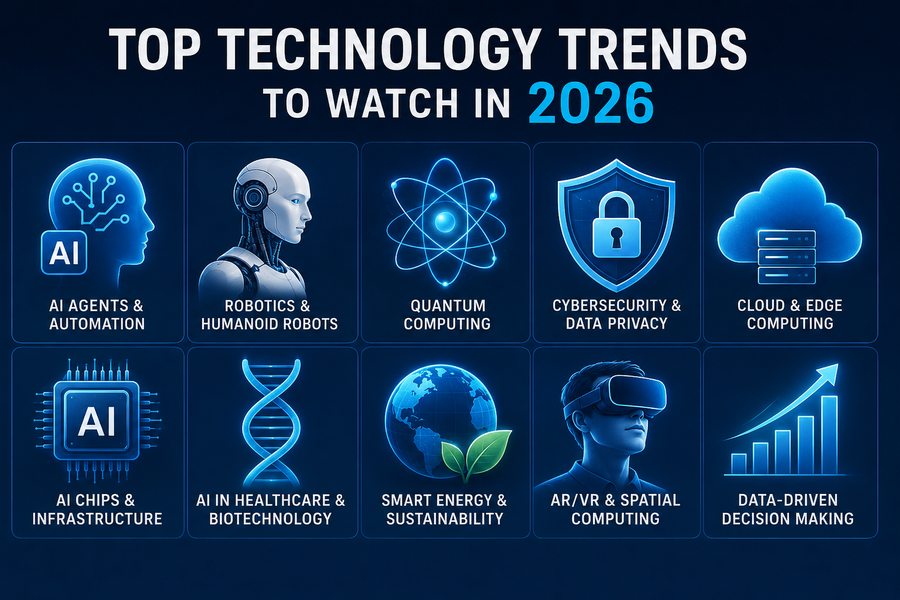
Top Technology Trends to Watch in 2026
Technology
Top Technology Trends to Watch in 2026